To view a list of your passes, go to Passes:
Here you will see a list of your active passes. The tabs at the top allow you to view:
- Active - passes currently in use for specific car parks.
- Upcoming - passes that have not yet been activated, with a future start date.
- Expired - passes which have expired.
If you cannot see a recently added pass, please double-check your Upcoming tab, as a pass which is due to start soon will be shown there. If the pass is not visible and you did not receive an email receipt, you may need to add a new pass.
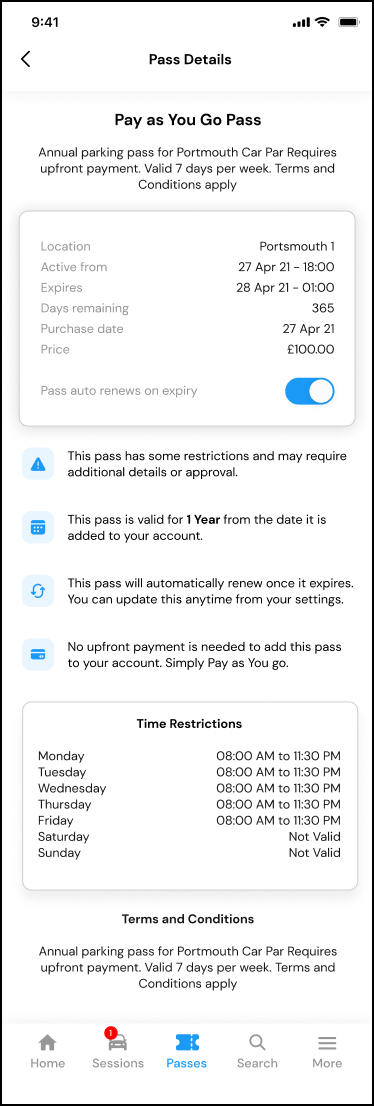
Tapping on a pass will show you the full details, including:
- Price
- Date of purchase
- Expiry date
- Pass auto-renews (if you want the pass to renew at the expiry date)
- The tariff you will pay (if it is a Pay As You Go pass).
- Time restrictions
- Terms